 Jump to content
 EN
EN
The Masters of Parkour 2026 Finals are today!
1/10
Invite a friend #8
2/10
«Challenge Accepted» is back!
3/10
Masters of Parkour 2026: Finalists announced
4/10
Winter Major Rankings III 2026
5/10
Autumn Festival 2026
6/10
Tanki Online V-LOG: Episode 556
7/10
Blockopolis
8/10
New English Instagram Account ‼️
9/10
Tanki Classic mass test
10/10


The Masters of Parkour 2026 Finals are today!

Today at 17:00 UTC, the long-awaited finals of Masters of Parkour 2026 will take place!
The twelve best teams that qualified will battle for the title of the best parkour team and valuable prizes.
Don’t miss the main parkour event of this autumn — support the participants and find out who will claim the coveted “Masters of Parkour 2026” paint and other rewards!
Watch the live stream:
The broadcast starts at exactly 17:00 UTC. Join us, it’s going to be spectacular! 🔥
Invite a friend #8

Invite friends to the game and get rewards!
We are launching a new referral event! During this event, you can get rewards for inviting new players or players who stopped playing the game. Also, as the friends you’ve invited complete special missions, you will receive additional bonuses!
Dates: From October 2nd 2 AM to November 11th 2 AM UTC
Let’s get into the details:
How to invite
IMPORTANT: The option to invite new players is only available to accounts created before the start of the event, October 2nd 2 AM.
Referrals are players who you invited to the game.
You need to follow these steps to make a new player your referral:
STEP 1 Your rank should be at least Master Sergeant.

STEP 2 You need to enter the game and go to the Missions menu.

STEP 3 There, you need to open the special «Invite a friend» category of missions.

STEP 4 In that section, you need to generate a special invite promo code.

STEP 5 Share this Promocode with people you want to invite to the game and tell them how they can activate it (read below).
IMPORTANT: If you are a player who was invited to the game during this referral event, you cannot generate your own promo code to invite other players.
Who can become your referral
There are two types of players who can become your referrals:
- Players who created their account since October 2nd 2 AM
- Player who last entered the game before August 19th 2 AM UTC.
Pay attention to the fact that in order to activate an invite promo code, a player should have at least Private rank.
Important: A player who generated a promo code to send it to other players cannot activate their own promo code or a Promocode of any other player.
What do I get for inviting players?
- Once you generate your invite promo code, send it to your friends and acquaintances.
- In the special «Invite a friend» category of missions, you will get a set of special missions.

3. Once they activate your promo code, players who have been invited will also get a set of their own special missions in the «Missions from a friend» category. In your «Invite a friend» category you can track how your referrals complete their missions, and thus your missions get completed and you can claim rewards for the efforts of the players you have referred.
Missions for those who invite
There are two types of missions for inviting players. The first type gives you rewards for players who just activated your promo code. The second type gives you rewards once your invited players complete the required missions.
Bonuses for inviting players
Important: An invited player is counted towards mission progress only once they activate your promocode.
Duo
TASK
Invite 1 player to the game.
REWARD

×1
COMMON KEY
COMMON KEY

×100
EXPERIENCE POINTS
EXPERIENCE POINTS
Trio
TASK
Invite 2 players to the game.
REWARD
×1
COMMON KEY
COMMON KEY
×100
EXPERIENCE POINTS
EXPERIENCE POINTS
Squad
TASK
Invite 3 players to the game.
REWARD
×1
COMMON KEY
COMMON KEY
×100
EXPERIENCE POINTS
EXPERIENCE POINTS
Quintet
TASK
Invite 4 players to the game.
REWARD
×1
COMMON KEY
COMMON KEY
×100
EXPERIENCE POINTS
EXPERIENCE POINTS

×5
RUBY
RUBY
Team
TASK
Invite 5 players to the game.
REWARD
×1
COMMON KEY
COMMON KEY
×100
EXPERIENCE POINTS
EXPERIENCE POINTS
×10
RUBY
RUBY
Clan
TASK
Invite 6 players to the game.
REWARD
×2
COMMON KEY
COMMON KEY
×100
EXPERIENCE POINTS
EXPERIENCE POINTS
×15
RUBY
RUBY
Community
TASK
Invite 7 players to the game.
REWARD
×3
COMMON KEY
COMMON KEY
×100
EXPERIENCE POINTS
EXPERIENCE POINTS
×40
RUBY
RUBY
Bonuses for efforts of your referrals
Important: An invited player is counted towards mission progress only once they activate your promocode and complete the required referral missions.
Good Start
TASK
Invited players completed 10 referral event missions
REWARD

×1
RARE KEY
RARE KEY
×100
EXPERIENCE POINTS
EXPERIENCE POINTS
Makes Progress
TASK
Invited players completed 20 referral event missions
REWARD
×1
RARE KEY
RARE KEY
×100
EXPERIENCE POINTS
EXPERIENCE POINTS
Can Play Together
TASK
Invited players completed 30 referral event missions
REWARD
×1
RARE KEY
RARE KEY
×100
EXPERIENCE POINTS
EXPERIENCE POINTS
×5
RUBY
RUBY
They Trust You
TASK
Invited players completed 40 referral event missions
REWARD
×1
RARE KEY
RARE KEY
×100
EXPERIENCE POINTS
EXPERIENCE POINTS
×10
RUBY
RUBY
Social Butterfly
TASK
Invited players completed 50 referral event missions
REWARD
×1
RARE KEY
RARE KEY
×100
EXPERIENCE POINTS
EXPERIENCE POINTS
×15
RUBY
RUBY
Influencer
TASK
Invited players completed 60 referral event missions
REWARD
×2
RARE KEY
RARE KEY
×100
EXPERIENCE POINTS
EXPERIENCE POINTS
×20
RUBY
RUBY
Celebrity
TASK
Invited players completed 80 referral event missions
REWARD
×3
RARE KEY
RARE KEY
×100
EXPERIENCE POINTS
EXPERIENCE POINTS
×60
RUBY
RUBY
Full Pack
TASK
Invited players completed 1 referral event supermission
REWARD

×1
EPIC KEY
EPIC KEY
×100
EXPERIENCE POINTS
EXPERIENCE POINTS
Aspiring Expert
TASK
Invited players completed 2 referral event supermissions
REWARD
×1
EPIC KEY
EPIC KEY
×100
EXPERIENCE POINTS
EXPERIENCE POINTS
×5
RUBY
RUBY
Forward to Victory
TASK
Invited players completed 3 referral event supermissions
REWARD
×1
EPIC KEY
EPIC KEY
×100
EXPERIENCE POINTS
EXPERIENCE POINTS
×10
RUBY
RUBY
Good Mentor
TASK
Invited players completed 4 referral event supermissions
REWARD
×1
EPIC KEY
EPIC KEY
×100
EXPERIENCE POINTS
EXPERIENCE POINTS
×15
RUBY
RUBY
Thunderstorm of Matchmaking
TASK
Invited players completed 5 referral event supermissions
REWARD
×1
EPIC KEY
EPIC KEY
×100
EXPERIENCE POINTS
EXPERIENCE POINTS
×20
RUBY
RUBY
Preparing for eSports
TASK
Invited players completed 6 referral event supermissions
REWARD
×2
EPIC KEY
EPIC KEY
×100
EXPERIENCE POINTS
EXPERIENCE POINTS
×60
RUBY
RUBY
Professional Referrer
TASK
Invited players completed 7 referral event supermissions
REWARD
×3
EPIC KEY
EPIC KEY
×700
RUBY
RUBY

×1
LEGENDARY KEY
LEGENDARY KEY
How it works for referrals
Once you invite a friend and give them your promo code, your friend should do the following:
STEP 1 Create an account (or log into an existing one, if it meets the criteria)
STEP 2 Get the «Private» rank. It won’t take much time.

STEP 3 Enter the Shop

STEP 4 Go to the «Promocode» section

STEp 5 Activate the promo code

STEP 6 Press the «Forward to the missions!» button

STEP 7 In the Missions menu, there will be a section called «Missions from the friend» with a set of special missions to complete

STEP 8 Complete the missions and claim the rewards
Important: During a referral event, a player can become a referral of only one player (activate only one referral promo code).
Bonuses for referrals for completing missions
WELCOME!
TASK
Supermission. Complete all referral missions.
REWARD

×1
legendary key

×300
ruby
CONSTANCY
TASK
Complete 30 daily missions.
REWARD

×1
epic key
×100
EXPERIENCE POINTS
EXPERIENCE POINTS
×10
ruby
WEEKLY COMBO
TASK
Complete 15 weekly missions.
REWARD
×1
epic key
×100
EXPERIENCE POINTS
EXPERIENCE POINTS
×10
ruby
GARAGE RESTOCKING
TASK
Open 15 Common Containers
REWARD
×1
epic key
×100
EXPERIENCE POINTS
EXPERIENCE POINTS
×10
ruby
BEST NOVELTIES
TASK
Open 10 Epic Containers.
REWARD
×1
epic key
×100
EXPERIENCE POINTS
EXPERIENCE POINTS
×10
ruby
EXPERIENCED TANKER
TASK
Earn 30 000 experience points.
REWARD
×1
epic key
×100
EXPERIENCE POINTS
EXPERIENCE POINTS
×10
ruby
PROVEN YOURSELF
TASK
Earn 15 000 reputation points.
REWARD
×1
epic key
×100
EXPERIENCE POINTS
EXPERIENCE POINTS
×10
ruby
START-UP CAPITAL
TASK
Earn 10 000 crystals.
REWARD
×1
epic key
×100
EXPERIENCE POINTS
EXPERIENCE POINTS
×10
ruby
TEMPORARY BOOSTS
TASK
Activate supplies 300 times.
REWARD
×1
epic key
×100
EXPERIENCE POINTS
EXPERIENCE POINTS
×10
ruby
ULTIMATIVE ATTACK
TASK
Use overdrive 15 times.
REWARD
×1
epic key
×100
EXPERIENCE POINTS
EXPERIENCE POINTS
×10
ruby
FIRST DOZEN IS OVER
TASK
Finish 20 battles.
REWARD
×1
epic key
×100
EXPERIENCE POINTS
EXPERIENCE POINTS
×10
ruby
WINNER
TASK
Be in the winning team of 5 battles.
REWARD
×1
epic key
×100
EXPERIENCE POINTS
EXPERIENCE POINTS
×10
ruby
RANK UP
TASK
Get a new rank.
REWARD
×1
epic key
×100
EXPERIENCE POINTS
EXPERIENCE POINTS
×10
ruby
You can track the progress of completing missions by your referrals in the «Statistics» column of the «Invite a friend» category in missions.
Invite friends and get rewards!
«Challenge Accepted» is back!
We are happy to announce that the “Challenge Accepted” in-game event is resuming.
On October 1st, the first “Challenge Accepted” of the month will start, and from then on, all activities will follow the usual schedule.
Important information about rewards for previous stages:
- August “Challenge Accepted” (second): all earned rewards will be credited to your accounts within 7 business days.
- September “Challenge Accepted” (first and second): rewards for them will not be credited, as these events were not held in September.
Ready to accept this challenge? Then see you in Tanki!
Masters of Parkour 2026: Finalists announced
The first phase of “Masters of Parkour 2026” has come to an end!
All submissions have been evaluated and that means we are ready to name our finalists!
Finalists
Please welcome the twelve best teams and finalists:
- Polish Tanki Tutorials #1: Mr.Skiil, Reviced, Jumper, Painful
- Polish Tanki Tutorials #3: idc, Ashe, Java, Always
- Fly To High #4: uuu, fff, Bugatti, MERKYREAL
- Fallen Angels #1: zdochnuta_mucha, Mr.Designer, Noice, o_o
- Team of Demons #1: Brom3000, Nickleks, petru505, Live
- SWAGINO: sir.clar.net, Broken, TTweeTT, Fuzz
- Undersky team: Paul, oxide, Editor, Volant
- Fly To High #6: Dynasty, Jinbe, Slime, LowBow_HD
- Polish Tanki Tutorials #2: Peruere, emrakul, Ghost, Ryxo
- Polish Tanki Tutorials #4: Helax, vextee, Furai, Way
- Legacy team: Glow, 3TERNITY, hehe, ehh
- FeatherLike Omega: chiragdon, 0.1, Ben, NikmanGT
Their videos can be found here, make sure to check them out:
Polish Tanki Tutorials #1: Mr.Skiil, Reviced, Jumper, Painful
Polish Tanki Tutorials #3: idc, Ashe, Java, Always
Fly To High #4: uuu, fff, Bugatti, MERKYREAL
Fallen Angels #1: zdochnuta_mucha, Mr.Designer, Noice, o_o
Team of Demons #1: Brom3000, Nickleks, petru505, Live
SWAGINO: sir.clar.net, Broken, TTweeTT, Fuzz
Undersky team: Paul, oxide, Editor, Volant
Fly To High #6: Dynasty, Jinbe, Slime, LowBow_HD
Polish Tanki Tutorials #2: Peruere, emrakul, Ghost, Ryxo
Polish Tanki Tutorials #4: Helax, vextee, Furai, Way
Legacy team: Glow, 3TERNITY, hehe, ehh
FeatherLike Omega: chiragdon, 0.1, Ben, NikmanGT
Each of the finalist teams will receive the unique “Masters of Parkour 2026 paint and further has the chance of winning some cool prizes during the second stage, the Finals! You’ll be able to witness their efforts of taking these home in the live stream on Friday, October 2nd at 17 UTC.
Congratulations to all these teams!
Finals
All finalists, pay attention and read the following carefully.
The 12 finalist teams will have 24h to confirm whether they are attending the finals, if they are participating, they must ensure that at least 3 members can be present during the entire stream. You’ll be contacted in Discord.
The livestream will take place on Friday, October 2nd, at 17 UTC on our official YouTube and Twitch channel.
Winter Major Rankings III 2026

Winter Major Rankings II 2026 is finished so we are ready to announce the THIRD ranking tournament of the Winter season!
If you’re still unsure whether to participate in tournaments or not, then now is the time to decide! After all, as we said earlier, the eSport format is designed to simplify participation in eSports, which means that everyone has a chance to compete for impressive in-game rewards and even for real cash rewards.
Who knows, perhaps it will be you and your team that will achieve the highest results.
We also want to remind you that in order to simplify the search for players and teams, we have updated our eSports website and added a special section in which teams search for players, and players search for teams.
Tournament rules
- Ranks: First Sergeant — Legend
- The team consists of 7 players.
- In battle – 5 tankers from each team.
- Your garage doesn’t matter as battles are played in Sport mode.
- On the battlefield, in each team, hulls and turrets should not be repeated. For example, if you use Hornet and Ricochet, no one else from your team should be in the battle with Ricochet or Hornet.
- More detailed rules can be found on the tournament page on the eSports portal.
Prizes
- Unique «Acid» paint
- 96,000 Rubies
- 88,000,000 crystals
- 2,835 epic keys
- 1,071 days of «Premium Pass»
- TMR points
Tournament dates
- Tournament registration will last from 17:00 UTC on September 22nd till 17:00 UTC on October 5th.
- The first match will start on October 6th.
- The tournament will end before October 28th.
- The transfer is open and will last until 17:00 UTC on October 5th.
The tournament will be attended by 32 to 128 teams.
Almost immediately after the third rating tournament, we will announce a Major one. In the Major tournament, they will fight not only for in-game rewards, but also for real cash.
Go to the eSports portal, create your team, read the rules, register and get ready for the next rating tournament! And if you have any questions, visit our eSports Discord server, they will definitely help you.
See you on the battlefields and eSports broadcasts!
Autumn Festival 2026

Autumn is rapidly taking hold, painting the world in bright and warm colors.
In Tanki Online, the long-awaited Autumn Festival is starting: special game modes Butchers, Gold Rush, and Sumo, lucrative 30% discounts, the arrival of GT skins and augments for Twins and Hunter in Epic Containers, a new Elite Pass with a Legendary Key and Tsar Grenades as rewards, gold boxes shaped like yellow apples, and many festive missions with valuable prizes.
Event dates: from September 25th, 2 AM till October 16th, 2 AM UTC.
Discounts
Take advantage of the great discounts from September 25th to September 28th.
All discounts start and end with the server restart at 2 AM UTC.
For three whole days, you can obtain the following items at a 30% discount:
-30%
SHOP (25.09 — 28.09)
Crystals

Stars

Early Access items

Premium Pass

-30%
GARAGE (25.09 — 28.09)
Augments

Supplies

Paints

Modules

Drones

Grenades

-30%
Upgrades (25.09 — 28.09)
Special Modes
Three exciting game modes await you in the game!
Important: Boosted battle funds and experience are available only in the festive weekend game modes.
Each mode starts and ends with the server restart at 2 AM UTC.
SPECIAL MODE
BUTCHERS
September 25th — September 28th
Mode
CP
Turret
B0-NK
Hull
Any
Bonus Boxes
Upgrades
Augments
Gold Boxes
Equipment Change
Overdrives
Supplies
Nuclear Energy
Smart Supplies
Drones
Protection Modules
Groups
Grenades
More Gold Boxes
The main task is to destroy all the opponents, capture points, and keep controlling them to finish a battle as soon as possible.
- Atra PRO
- Farm PRO
- Zone PRO
SPECIAL MODE
GOLD RUSH
October 2nd — October 5th
Mode
DM
Turret
Any
Hull
Any
Bonus Boxes
Upgrades
Augments
Gold Boxes
Equipment Change
Overdrives
Supplies
Nuclear Energy
Smart Supplies
Drones
Protection Modules
Groups
Grenades
More Gold Boxes
Crush everyone in a Deathmatch and catch plenty of gold! A lot more of the elusive boxes will be dropping in this mode!
- Boombox MM
- Iran MM
- Siege MM
SPECIAL MODE
SUMO
October 9th — October 12th
Mode
CP
Turret
Hammer
Hull
Mammoth
Bonus Boxes
Upgrades
Augments
Gold Boxes
Equipment Change
Overdrives
Supplies
Nuclear Energy
Smart Supplies
Drones
Protection Modules
Groups
Grenades
More Gold Boxes
In the “Sumo” mode, every tank channels the ancient art of Sumo: players battle in heavyweight Mammoth hulls, wielding the enhanced Hammer turret. Close-quarters combat becomes the key to victory — push your enemies using raw mass and strength, mirroring Sumo clashes. Collide in epic showdowns where only those who hold their ground survive. Dive into battles where every strike brings you closer to triumph!
- Highland (remaster)
- Sandbox (remaster)
- Sandal (remaster)
Special Offers
Hurry and grab these great deals at awesome prices!
September 25th — October 12th

Fiery Beast

Twins
Mk3

Hunter
Mk3

Paint
Fire Dragon

Twins
Stabilized plasma

Hunter
Engineer
Note: One-time purchase
This offer is available to players ranked from Corporal (4) through Sergeant-Major (10), inclusive.
This offer is available to players ranked from Corporal (4) through Sergeant-Major (10), inclusive.
Price
2990 Rubies
September 25th — October 16th
Daily Ruby Pass
×500
Tankoins*
×4500
Rubies**
500 Tankoins instantly.
** For 30 days, players can access a pre-completed mission each day when they log in and claim a reward of 150 Rubies.
Note: One-time purchase
** For 30 days, players can access a pre-completed mission each day when they log in and claim a reward of 150 Rubies.
Note: One-time purchase
PURCHASE

October 2nd — October 16th
Сharge of Vivacity
×20
EPIC KEY

×5
PREMIUM PASS

×1
NUCLEAR ENERGY
October 9th — October 16th

Epic Containers

Treat yourself to the updated contents of Epic Containers!
- SKIN Twins GT
- SKIN Hunter GT
- Twins’ «Plasma Turbo Accelerators» augment
- Twins’ «Tempest» augment
- Twins’ «Excelsior» augment
- Hunter’s «Grenadier» augment
- Hunter’s «Excelsior» augment
- And everything you can get from Common Containers
Special Missions
We’ve prepared a large list of missions where everyone can find something for themselves!
Your progress in completing missions is only counted from the moment you first enter the “Missions” screen after the event begins.
Missions follow the Encore system, with the second set of missions appearing only after the first set is completed.
SPECIAL
Part 1. September 25th — October 2nd
Part 2. October 2nd — October 9th
Part 3. October 9th — October 16th
MEAT FAIR
TASK
Finish 2 battles in the festive mode.
REWARD
×3
EPIC KEY
EPIC KEY
OBSESSION
TASK
Finish 2 battles in the festive mode.
REWARD
×3
EPIC KEY
EPIC KEY
HEAVYWEIGHT
TASK
Finish 2 battles in the festive mode.
REWARD
×3
EPIC KEY
EPIC KEY
SET 1
Set 1. September 25th — October 16th
Supermission: “A” to “Z”! Part 1
TASK
Complete «You Again. Part 1», «Known in a Small Circle. Part 1», «Choice Without a Choice. Part 1», «Presence Mode. Part 1», «Part of the Team. Part 1», «Autumn Shopping. Part 1», «Shell», «Proficient Way», «Proficient Way» and «Unexpected and Pleasant» missions.
REWARD
×5
EPIC KEY
EPIC KEY
×1
RARE KEY
RARE KEY
×1000
EXPERIENCE POINTS
EXPERIENCE POINTS
YOU AGAIN. PART 1
TASK
Enter the game at least once.
REWARD
×1
COMMON KEY
COMMON KEY
×100
EXPERIENCE POINTS
EXPERIENCE POINTS
KNOWN IN A SMALL CIRCLE. PART 1
TASK
Earn 5000 reputation points in matchmaking battles.
REWARD
×1
COMMON KEY
COMMON KEY
×100
EXPERIENCE POINTS
EXPERIENCE POINTS
CHOICE WITHOUT A CHOICE. PART 1
TASK
Earn 3000 reputation points in Quick Battle mode in matchmaking battles.
REWARD
×1
COMMON KEY
COMMON KEY
×100
EXPERIENCE POINTS
EXPERIENCE POINTS
PRESENCE MODE. PART 1
TASK
Finish 10 battles in matchmaking battles.
REWARD
×1
COMMON KEY
COMMON KEY
×100
EXPERIENCE POINTS
EXPERIENCE POINTS
PART OF THE TEAM. PART 1
TASK
Be in the winning team of 2 battles in matchmaking battles.
REWARD
×1
COMMON KEY
COMMON KEY
×100
EXPERIENCE POINTS
EXPERIENCE POINTS
AUTUMN SHOPPING. PART 1
TASK
Make any purchase in the game’s Shop.
REWARD
×1
COMMON KEY
COMMON KEY
×100
EXPERIENCE POINTS
EXPERIENCE POINTS
SHELL
TASK
Use boosted armor 150 times in matchmaking battles.
REWARD
×1
COMMON KEY
COMMON KEY
×100
EXPERIENCE POINTS
EXPERIENCE POINTS
PROFICIENT WAY
TASK
Earn 3000 experience points in matchmaking battles.
REWARD
×1
COMMON KEY
COMMON KEY
×100
EXPERIENCE POINTS
EXPERIENCE POINTS
PROFICIENT WAY
TASK
Earn 4000 crystals in matchmaking battles.
REWARD
×1
COMMON KEY
COMMON KEY
×100
EXPERIENCE POINTS
EXPERIENCE POINTS
UNEXPECTED AND PLEASANT
TASK
Open 15 any Containers in matchmaking battles.
REWARD
×1
COMMON KEY
COMMON KEY
×100
EXPERIENCE POINTS
EXPERIENCE POINTS
SET 2
Set 2. October 2nd — October 16th
Supermission: “A” to “Z”! Part 2
TASK
Complete «You Again. Part 2», «Known in a Small Circle. Part 2», «Choice Without a Choice. Part 2», «Presence Mode. Part 2», «Part of the Team. Part 2», «Autumn Shopping. Part 2», «Regeneration», «Meteor Shower», «Reaper» and «7 Days» missions.
REWARD
×5
EPIC KEY
EPIC KEY
×1
RARE KEY
RARE KEY
×1000
EXPERIENCE POINTS
EXPERIENCE POINTS
YOU AGAIN. PART 2
TASK
Enter the game at least once.
REWARD
×1
COMMON KEY
COMMON KEY
×100
EXPERIENCE POINTS
EXPERIENCE POINTS
KNOWN IN A SMALL CIRCLE. PART 2
TASK
Earn 5000 reputation points in matchmaking battles.
REWARD
×1
COMMON KEY
COMMON KEY
×100
EXPERIENCE POINTS
EXPERIENCE POINTS
CHOICE WITHOUT A CHOICE. PART 2
TASK
Earn 3000 reputation points in Quick Battle mode in matchmaking battles.
REWARD
×1
COMMON KEY
COMMON KEY
×100
EXPERIENCE POINTS
EXPERIENCE POINTS
PRESENCE MODE. PART 2
TASK
Finish 10 battles in matchmaking battles.
REWARD
×1
COMMON KEY
COMMON KEY
×100
EXPERIENCE POINTS
EXPERIENCE POINTS
PART OF THE TEAM. PART 2
TASK
Be in the winning team of 2 battles in matchmaking battles.
REWARD
×1
COMMON KEY
COMMON KEY
×100
EXPERIENCE POINTS
EXPERIENCE POINTS
AUTUMN SHOPPING. PART 2
TASK
Make any purchase in the game’s Shop.
REWARD
×1
COMMON KEY
COMMON KEY
×100
EXPERIENCE POINTS
EXPERIENCE POINTS
REGENERATION
TASK
Use repair kit 150 times in matchmaking battles.
REWARD
×1
COMMON KEY
COMMON KEY
×100
EXPERIENCE POINTS
EXPERIENCE POINTS
METEOR SHOWER
TASK
Earn 45 stars in matchmaking battles.
REWARD
×1
COMMON KEY
COMMON KEY
×100
EXPERIENCE POINTS
EXPERIENCE POINTS
REAPER
TASK
Destroy 30 tanks in matchmaking battles.
REWARD
×1
COMMON KEY
COMMON KEY
×100
EXPERIENCE POINTS
EXPERIENCE POINTS
7 DAYS
TASK
Complete 3 Weekly missions.
REWARD
×1
COMMON KEY
COMMON KEY
×100
EXPERIENCE POINTS
EXPERIENCE POINTS
SET 3
Set 3. October 9th — October 16th
Supermission: “A” to “Z”! Part 3
TASK
Complete «You Again. Part 3», «Known in a Small Circle. Part 3», «Choice Without a Choice. Part 3», «Presence Mode. Part 3», «Part of the Team. Part 3», «Autumn Shopping. Part 3», «Faster than the Wind», «Preemptive Play», «Deadly Fruit» and «Daytime» missions.
REWARD
×5
EPIC KEY
EPIC KEY
×1
RARE KEY
RARE KEY
×1000
EXPERIENCE POINTS
EXPERIENCE POINTS
YOU AGAIN. PART 3
TASK
Enter the game at least once.
REWARD
×1
COMMON KEY
COMMON KEY
×100
EXPERIENCE POINTS
EXPERIENCE POINTS
KNOWN IN A SMALL CIRCLE. PART 3
TASK
Earn 5000 reputation points in matchmaking battles.
REWARD
×1
COMMON KEY
COMMON KEY
×100
EXPERIENCE POINTS
EXPERIENCE POINTS
CHOICE WITHOUT A CHOICE. PART 3
TASK
Earn 3000 reputation points in Quick Battle mode in matchmaking battles.
REWARD
×1
COMMON KEY
COMMON KEY
×100
EXPERIENCE POINTS
EXPERIENCE POINTS
PRESENCE MODE. PART 3
TASK
Finish 10 battles in matchmaking battles.
REWARD
×1
COMMON KEY
COMMON KEY
×100
EXPERIENCE POINTS
EXPERIENCE POINTS
PART OF THE TEAM. PART 3
TASK
Be in the winning team of 2 battles in matchmaking battles.
REWARD
×1
COMMON KEY
COMMON KEY
×100
EXPERIENCE POINTS
EXPERIENCE POINTS
AUTUMN SHOPPING. PART 3
TASK
Make any purchase in the game’s Shop.
REWARD
×1
COMMON KEY
COMMON KEY
×100
EXPERIENCE POINTS
EXPERIENCE POINTS
FASTER THAN THE WIND
TASK
Use speed boost 150 times in matchmaking battles.
REWARD
×1
COMMON KEY
COMMON KEY
×100
EXPERIENCE POINTS
EXPERIENCE POINTS
PREEMPTIVE PLAY
TASK
Destroy 1 tank using grenades in matchmaking battles.
REWARD
×1
COMMON KEY
COMMON KEY
×100
EXPERIENCE POINTS
EXPERIENCE POINTS
DEADLY FRUIT
TASK
Use any grenade 10 times in matchmaking battles.
REWARD
×1
COMMON KEY
COMMON KEY
×100
EXPERIENCE POINTS
EXPERIENCE POINTS
DAYTIME
TASK
Complete 15 Daily missions.
REWARD
×1
COMMON KEY
COMMON KEY
×100
EXPERIENCE POINTS
EXPERIENCE POINTS
Advent Calendar
We are launching the festive Advent Calendar for you!
Attention! The Advent Calendar and its missions become available only after purchasing the “Advent Calendar” special offer.
After purchasing the “Advent Calendar” special offer, you will get access to:
- 5 Standard Missions
- 1 Supermission with unique rewards!
All you need to do is log in to the game during the event and claim your gifts.
Task: Complete all “One More Day” missions that appear after September 25th.
Completing 5 standard missions will unlock the final Supermission.
Supermission

Paint
Recruit
×200
Rubies
One More Day
×12
Epic key
×200
Rubies
Elite Pass
The most luxurious pass is here! It consists of 20 levels.
Your goal is to earn stars and unlock new levels. For each level reached, you will receive additional prizes!
In order to complete the whole pass and reach the main prizes, you will need to earn 1000 stars.

Elite Pass
All stars earned during the event will be counted. Progress begins with the start of the event. Stars earned before the purchase of the «Elite Pass» will also be counted. The «Elite Pass» itself is required to claim the prizes. By purchasing it, you will be able to claim all unlocked prizes, which will be added to your Garage!
The Main Prizes are Tsar Grenade ×3 and Legendary Key ×1!
The price of this «Elite Pass» is 2300 Rubies.
Festive decorations
- Festive paint on drones
- Festive paint
- Festive Gold Box drop zone skin
- Festive loading screen
- Updated billboards
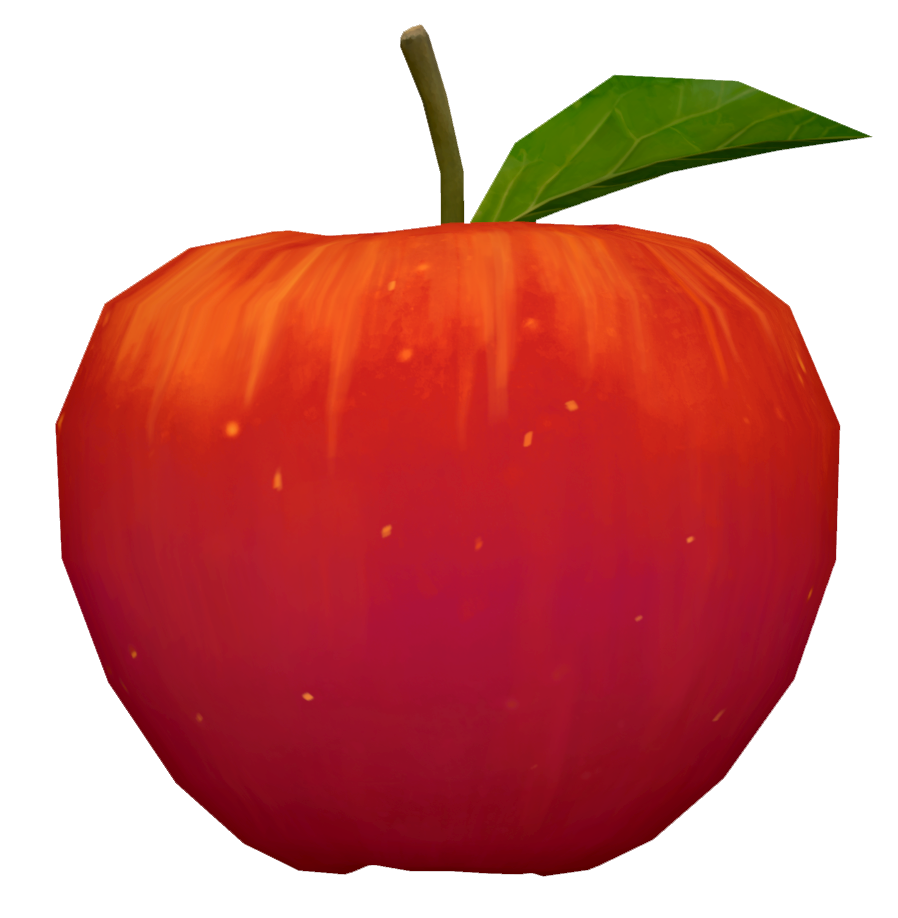
- Red apple Gold Box
Wishing everyone a bright autumn and victories in Tanki Online!
Tanki Online V-LOG: Episode 556
In today’s episode, we will be kicking off the Autumn Festival. We’ll also be explaining skin features in Tanki Classic and sharing a new Tanki Quiz question.
Blockopolis

Tankers, we present a new web event – Blockopolis!
Test your wits! Place pieces on the game board, form complete lines, earn event points, and claim valuable rewards!
Blockopolis is a game where you place pieces to form complete lines. Each completed line earns you event points that can be exchanged for rewards.
The event will run for 21 days: from September 18th, 2 AM to October 9th, 2 AM UTC.
How to Participate?
To access Blockopolis, you need to purchase the “Event Pass” special offer.
Event Pass

Access to the Event
After purchasing the pass, you will be able to log in to the event website and start playing.
Energy

Energy
Energy is the special currency of the event that can be received by completing contracts.
For 1 unit of energy, you get 3 random pieces. Place them one by one on empty cells of the game board. After all three pieces are used, you can spend another 1 unit of energy to get a new set of pieces.
You can track your current energy supply on the event website.
Contracts

Contract
A Contract is a task that requires earning Reputation points in Matchmaking battles.
Contracts are available from September 18th, 2 AM to October 9th, 2 AM UTC.
After purchasing a Contract, it is required to enter the “Contracts” category in the “Missions” section and “Activate” the contract.
There are 3 types of Contracts in the event:
Bronze Contract

Condition: Earn 5000 reputation points in battle
Reward: ×15 Energy
Multiple-time purchase.
Reward: ×15 Energy
Multiple-time purchase.
Price
49900 CRYSTALS
- Time to complete: October 9th, 2 AM UTC
- Time to collect the prize: October 9th, 2 AM UTC
- Alternative reward if not completed in time or if the reward is not collected in time: ×49 900 crystals
- Early completion: instead of earning points, you may purchase contract early completion. The price of early completion depends on your progress toward completing the contract.
- Early completion price: Rubies ×175-1
Silver Contract

Condition: Earn 5000 reputation points in battle
Reward: ×25 Energy
Multiple-time purchase.
Reward: ×25 Energy
Multiple-time purchase.
Price
290 Rubies
- Time to complete: October 9th, 2 AM UTC
- Time to collect the prize: October 9th, 2 AM UTC
- Alternative reward if not completed in time or if the reward is not collected in time: ×290 Rubies
- Early completion: instead of earning points, you may purchase contract early completion. The price of early completion depends on your progress toward completing the contract.
- Early completion price: Rubies ×700-1
Gold Contract
Condition: Earn 3000 reputation points in battle
Reward: ×75 Energy
Multiple-time purchase.
Reward: ×75 Energy
Multiple-time purchase.
Price
990 Rubies
- Time to complete: October 9th, 2 AM UTC
- Time to collect the prize: October 9th, 2 AM UTC
- Alternative reward if not completed in time or if the reward is not collected in time: ×990 Rubies
- Early completion: instead of earning points, you may purchase contract early completion. The price of early completion depends on your progress toward completing the contract.
- Early completion price: Rubies ×1000-1
IMPORTANT information:
- Only one Contract can be activated at a time.
- If you have already completed the Contract conditions and earned the required number of Reputation points, the reward should be collected immediately, otherwise a new Contract cannot be activated.
- After the event is over, you will get an alternative reward for any completed but not claimed Contracts depending on the Contract’s price.
- After October 9th, 2 AM UTC all Contracts will be inactive and expired — they will be highlighted in red.
Before starting on a Contract, DO NOT FORGET to activate it.
How to Play?
Everything happens on a 10×10 grid board.

On the right side, you have three random pieces. Your task is to drag them onto empty cells and form fully filled horizontal and vertical lines. A completed line disappears, freeing up space for the next pieces. For completing full lines, you earn event points.

After you place all three available pieces, you can spend 1 unit of energy to get a new set of three pieces.
Pieces appear randomly and can be rotated to one of four orientations. You cannot manually rotate the pieces you receive.
Plan your moves in advance and try to leave enough free space for the next pieces!
Important: The game does not automatically detect whether there are any possible moves left on the board. If you get stuck or want to start over, you can manually start a new game for 10 units of energy.
Bombs
At the start of the game, bombs are already present on the board. Additionally, there is a 20% chance that a new bomb will appear on a random cell with each move.
A cell with a bomb is considered occupied — you cannot place a piece on it.
There are two ways to remove a bomb:
- Free: Complete a line passing through the bomb cell twice. The first time removes the lock from the bomb, the second time detonates and removes it.
- For Energy: Click on the bomb and spend 1 unit of energy to instantly remove it from the board.
The explosion of a bomb does not destroy adjacent cells.
Bonuses
When regular pieces aren’t enough, special bonuses come to the rescue.
1×1 Piece

Get a single block, useful for filling an empty cell.
Price: 1 Energy
2×2 Piece

Get a square piece of 2×2 cells.
Price: 10 Rubies
Mine

Place a mine on the board and destroy blocks in a 3×3 area around it. The mine also affects bombs: two explosions are required to destroy a bomb.
Price: 50 Rubies
Bonuses can be used at the right moment to get out of a difficult situation and continue playing.
Point Rewards
By completing fully filled horizontal and vertical lines, you will earn event points.
Earn points, fill the progress bar, and unlock new rewards. The more points you earn, the further you progress along the bar and the more prizes you receive.
All progress stages and their corresponding rewards are displayed on the event website.

3,000 points
×10 Medic Grenades
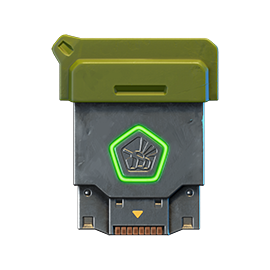
6,000 points
×15 Common Keys
9,000 points
×8 Nuclear Energy
12,000 points
×15 Common Keys
15,000 points
×100 Medic Grenades
18,000 points
×15 Common Keys

21,000 points
×3 Tsar Grenades
24,000 points
×15 Common Keys
27000 points
×24 Nuclear Energy
30,000 points
×15 Common Keys
33,000 points
×30 Tsar Grenades
36,000 points
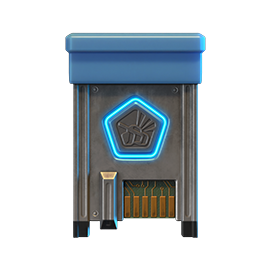
×15 Rare Keys

39,000 points
Shaft «PULSAR»
42,000 points
×15 Epic Keys

45,000 points
WASP VT skin
48,000 points
×15 Epic Keys

51,000 points
Tesla «Hadouken»
54,000 points
×15 Epic Keys
57,000 points
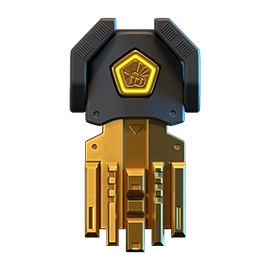
×1 Legendary Key

60,000 points
Smoky VT skin
“Hadouken” augment for Tesla
Accelerates the reload of Ball Lightning, but Chain Lightning effects no longer occur.
Emitter guides have been adapted for stable operation with Ball Lightning instead of Chain Lightning. Ball Lightning can now be launched so frequently that using the primary mode becomes almost unnecessary. Projectiles fly faster, hit harder, are launched more frequently. You just need to practice predicting the enemy’s position.
This is one of those combat techniques that deals more psychological damage than physical damage.
Leaderboard
Throughout the event, players compete for positions in the overall ranking. After Blockopolis concludes, the top participants will receive additional rewards.
Best players of the event will get to the Leaderboard and receive extra rewards depending on the final positions.

1st place
Animated “Holi” paint
1–10 places
×3 Legendary Keys
1–30 places
×120 Epic Keys
1–100 places
×30 Rare Keys
Rewards are cumulative. The player who takes 1st place will receive rewards for all corresponding leaderboard ranges.
You need to press the “Claim your prize” button on the website to claim your prizes for the leaderboard. The button is available till October 12th, 2 AM UTC.
Good luck!
New English Instagram Account ‼️

Our old Instagram account was blocked due to reasons beyond our control.
So we’ve created a new page — and we’re waiting for you there!
We will be publishing some of the upcoming posts on our new Instagram account exclusively one hour earlier than anywhere else.
Event announcements, development news, exclusive content, game highlights, and much more — all in one place for you.
Follow us to stay updated on all the game news and events ❤️
Tanki Classic mass test

We are officially launching the “Tanki Classic” mass test!
During the test, you will be able to get onto separate “Tanki Classic” test servers, if you have purchased one of the early access special offers.
How to get there?
You can get onto “Tanki Classic” only through the announcement window in the main game lobby.
Attention! There are no other ways to get onto the game. Other sites you see on the Internet are scams and are made to steal your account details. You do not need to enter your password to log into the Tanki Classic test servers. If someone asks for your password to access Tanki Classic, it is definitely a scam. Be careful.
You will only have access if you are an early access participant.
How to get Early Access?
The special Early Access offers for “Tanki Classic” were only available for a limited time. With the start of the mass testing phase, we are bringing these special offers back on sale. This is your chance to become a part of the legendary “Tanki Classic” project ahead of everyone else!
Early Access offers are available from rank 8.
Personalized

×1000
(TO) Rubies

(TO) Bronze medal Tanki Classic

(TC) Nickname reservation
Nostalgia

×3000
(TO) Rubies

(TO) SILVER medal Tanki Classic
(TC) Nickname reservation

(TC) VETERAN PAINT

(TC) EARLY ACCESS

(TC) Voting option
Old School

×10000
(TO) Rubies

(TO) Gold medal Tanki Classic
(TC) Nickname reservation
(TC) VETERAN PAINT
(TC) EARLY ACCESS
(TC) Voting option

×200
(TC) CONTAINERS
What is there in the game?
This is a test version of the game. It is possible to encounter bugs, issues, unfinished features, and anomalies.
During the test, we will restart the game several times and even temporarily pause the testing process.
We will also wipe the test server database several times, which will reset all your progress.
For testing Tanki Classic, we use new server infrastructure. This may cause unstable server performance during the first weeks of testing. We will be configuring and fixing everything.
Is this early access already?
No. Early access will be announced separately, 2 weeks before the game is released. You will be able to get access to the game earlier than anybody else and progress your account earlier than others.
What is the “Development Plans” section on the Tanki Classic website?
Alongside the launch of Tanki Classic testing, we are adding a special “Development Plans” section to the project’s website. From now on, this section will be the primary, first-source of information on the development of the Tanki Classic project.
There, we will announce the key development areas of the project earlier than anywhere else.
Please note: the presented plans reflect our current goals and may be adjusted based on your feedback and voting results.
In the future, we will launch the promised polls for the game mechanics. You, the players, will define the future of “Tanki Classic!”
Feedback can be left on the forum topic of this news.
Recommended Posts