 Jump to content























































rus0806

-
Posts
377 -
Joined
-
Last visited
Everything posted by rus0806
-
Thanks for the information. I think tanki developers are adding some kind of new supply, or maybe its a mystery for us Tankers to solve :O Guys, Did you find them in Matchmaking battles or Pro battles?
-
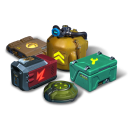
It looks like some nuclear supply thing. Did you edit it or did you find it? If you found it, what map it this? Thanks *Edit: also, I would love to know if anything dropped on top of it. :)
-
I have a strange idea: bear, wolf and lion = Godmode_ON, A_Viuva_Negra and Guardian_LATAM. Afterall, the Vlog before the war was announced said there was an international event, with a tank that has 100% protection in the back ground fighting.
-
I don't want the LGC skins they look very bad. I don't know who would think them as cool.Instead, a blue version of the xt should be added, and call it crystal. ;)
-
i have bad luck too never gotten anything higher than epic lol reading the things your friend got i am very jealous ;) lol reading the things your friend got i am very jealous ;)
-
maf the juggernaut is too fast for striker to lock on without any objects obstructing the view. I would suggest viking and shaft, since shaft's heavy damage will be able to take a moderately damaged juggernaut. also, i bought the xt skins, but i have vulcan m0 xD i mean, with viking you could just follow the juggernaut around, but titan is just too slow, even if it is stronger
-
nives when is the promo codes for the tanki friends event gonna be sent out
-
Maf, could I please write the descriptions for juggernaut and terminator? I came up with very good ideas about their descriptions.
-
ok sorry i didn't know.
-
NP
-
I really want feathers paint, Thunder XT M4 and Mammoth XT M4. Why? Cause I'll Look llike Godmode_ON Not devil paint, but feather paint :O
-
Sure
-
Have fun reading! I hope this has helped you!
-
A beginner's guide to the forum
rus0806 replied to rus0806 in A beginner's guide to the forum Archive
Hello, Tanker! Today you are going to learn about how do post replies and topics in the forum. 1) To post something in the forum, you must first log in into the forum with your in-game username and in-game password. Remember! You do not need to create an account for the forum individually; instead, an automatic account has been created for you the moment you registered for the game. 2) After completing the things above, start your new topic or go into the topic that you wish to reply and click in the reply box, which in at the bottom of the page. 3) There are lots of buttons above the reply box, so you may be wondering what each of them are for. Well, I am going to go through all of them in the following order, so pay close attention! 1. BB code switch: don't click on it, because unless you know how to code using Bulletin Board code (A type of code), it is useless to you. Stick to the original one instead. 2. Remove format: If you ever accidentally highlighted a phrase and clicked on the buttons 35, 36 or 37, then click on this button to remove the formatting and change it back to the original format. 3. Special BB code: This is a very useful button, since a lot can be done with these additions, like Spoilers to adding member's names: @rus0806. The list goes beyond imagination, and it is very easy to use, since you just need to select the function and type in your message in the box below. 4. Font: The function of this is very obvious and simple - It is used to change the styles of letters. (e.g. This is normal/Arial, This is new times roman, and this is courier new) Choose whatever style that fits you best. 5. Size: Another obvious one, this simply just changes the size of your letters. If you wish to change the size for a phrase of words, highlight the passage and then change the size. (e.g. This is size 8, This is size 14 and this is size 18) The normal/default size is 13. 6.Text colour: Click on this button, and you will be presented with a whole lot of colours to display your text in. Same thing as size: If you wish to change the colour for a phrase of words, highlight the passage and then change the colour. 7. Smiley: This is just a bunch of emojis in which you could use in your text ( :) ;) :D...) 8. My media: from here you can add your pictures or videos which you have uploaded to Tanki Online. To manage your current attachments, click here. 9. Find: Find a word in your text, and if you wish to replace it you could do so by clicking on "replace" which is button number 10. 10. Replace: Find a word in the text you wrote, and replace is with another word of your choice. 11. Undo: Go back one step, and replace or remove your previous input(s). 12. Redo: Redo something that you just deleted. 13. Copy: Copies the chosen item(The highlighted item) If you want, use Ctrl_C on windows or Command+V on macbooks instead. 14. Paste: Paste the item that is on your clipboard (Or just press the keys Ctrl+V on windows or Command+V on Macbooks) 15. Paste in plain text: The same function as "Paste", but it will get rid of pictures or videos when pasted. 16. Paste from word: Basically the same thing as "Paste", but keep the word formatting from Word. 17. Options: there are two options - Paste as plain text by default and Clearing the saved content. Tick the box(es) if you wish to enforce any of those options. 18. Bold: This changes your word(s) into Bold form - This is normal and This is Bold 19. italic: This changes your word(s) into italic form - This is normal and This is italic 20. Underline: This gives an underline to your word(s) - This is without underline and this is with underline. 21. Strike through: This gives a strike through the centre of your word(s) - This is normal and this is with strikes. 22. Subscript: This makes your word(s) go to the bottom and get smaller - This is normal and this is a subscript. 23. Superscript: This is the opposite of a Subscript - This makes your words go to the top. This is normal and this is a superscript. 24. Insert/remove bulleted list: This just adds/removes a list format with dots when clicked on. 25. Insert/remove numbered list: This just adds/removes a list format with numbers when clicked on. 27. Link: This adds a link to your selected word(s). Highlight the word(s) and click on the button, and type in the link in the given box. This is a link. (Linked to Tanki Online Front page) 28. Un-link: The opposite of "Link". Highlight a word(s) that is linked and click on this button to un-link it. 29. Image: This allows you to add an image from the internet. You could add an image by typing the URL of the image in the given box. 30. Code: Like the BB code switch, don't touch it unless you are a very skilled coder. If you are, however, choose your type of code and then type your text in the boxes below. 31. Quote: This is quite useful, since when you click on this button you can type in a quote by another player or person, in which you can refer to in your text. 32. Twitter: adds your username in twitter to your text. @Test_Username 33. Decrease indent: Changes the indent to the left <--- Decreased indent Increased indent ---> 34. Increase Indent: changes the indent to the right. 35, 36,37. Formatting: This is just the formatting of your text. Choose any that you wish which satisfies you. 26. Collapse toolbar: Need more space to write and no distractions? Click on this button and the toolbar will disappear. Click it again and it will appear again. 4) After you are finished with typing you message/topic, you should definitely be checking for any mistakes that you have made, and also checking to make sure that you have the kind of formatting you want. This can all be done by clicking on the "Preview Post" for creating new topics and "More reply options" and then "Preview Post" for a reply.The buttons are below the text box on the right. If you are confident that you are all correct and set, then click on the "Post new topic" or "Add Reply" button, which will publicise your piece of text. 5) That's it, Tankers! Thanks for Reading! I hope this helped you greatly! IMPORTANT: Please DO NOT spam messages in the forum, as that will result in a ban which prevents you from replying/posting new topics for quite a long time. ***Click the pictures to enlarge them*** -
First time ever seeing champion paint :o
-
i wish getting xts is as easy in tanki Online as it is in Tanki X, since you only need some x-crystals to open special kinds of containers which give you xts.
-
Does the battles count from after you confirm the email or before? I confirmed my email after 4 battles but if its invalid then i have to do another 4 battles
-
I want containers so that I could have chances on getting a xt skin - Thunder Xt (My fav turret in the whole game) I wish I bought it but I was in italy on holidays when the thunder and viking xt skins sales started and ended, so...
-
Hi guys I downloaded Tanki X to try out but just wondering why is the topic named "Lets be tanki friends" when the actual thing is nothing to do with that?
-
I was playing in test server with juggernaut today, and I find it way too hard to control (Speed of both turret and hull) What do you guys think?
-
i have a good idea please add back the missions of xt again so that xts can be achieved since it is way to hard to get from container - around 500-700 containers per xt. do like 9999 kills for a single skin for ranks above WO1 or something
-
Hi tanki please recycle the xt skins again (e.g do another cycle in the shop) cause i missed the thunder viking skin since i was on holiday please i really want that skin tanki always give me trash luck when it comes to containers - i open 300 containers = 1 purple coloured container + 10 blue containers + a whole bunch of useless supplies (barely any golds either) with this luck i would have 0.000000000000000001% chance (sry for spam) of getting both skins :( :( ;(
-
I am so sad http://prntscr.com/k44n6o http://prntscr.com/k44n6o is the definition of why tanki should get rid of server restart
-
hey nives when is vlog 172 out
-
Hi
