 Jump to content







































































Hex

-
Posts
5 948 -
Joined
-
Last visited
-
Days Won
17
Everything posted by Hex
-

Review Scrutinized: Drones, Batteries & Modules
Hex replied to Hex in Scrutinized: Drones, Batteries & Modules Newspaper Archive
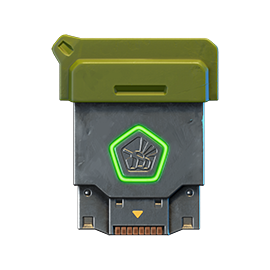
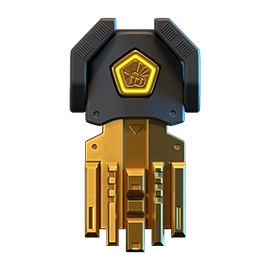
It almost feels like it was still yesterday when the community noticed the secret "Project Energizer" in one of the pages in the Wiki, and now, here we are, the update is live and in front of our very eyes. So much news and content was released in the past week, it became hard to perceive what actually was being added into the game. Read on, as I go deep into the archives and carefully review the recent update. ___________________________________________________________________________________________ Drones In the literal sense, drones are basically stat boosters and supply enhancers. While you're battling it out with other enemies in the battle, these little guys help you out by affecting your tank with special effects, all of which put you in some sort of an advantageous position than other people in the battle, who are not using drones. Drones are classified into three types: Assault, Defensive and Support. Assault drones essentially help you out while you're on the front lines, giving you boosts like increased supply duration, additional effect of a certain supply and so on. Defensive drones - like their name suggests - are used when you need extra help with defending, be it some quick and free temporary supplies or a limited time boost to a certain stat. Last but not least, we have the Support drones. These can help a player in many situations in a battle, like helping out teammates bringing the flag back to their base by sharing some effect with them, giving them a boost etc. Drones can be purchased in the garage for a somewhat reasonable price tag of twenty thousand crystals each, and can then be further upgraded. In order to look at the micro-upgrades of drones, please do so by clicking here. Drones are also available for purchase in the Shop as part of a "Drone Attack" kit that sells for 6.99 USD - giving you all three of the drones, but with zero micro-upgrades. If you have a Product Kits Discount Card, you can buy the kit for only 3.99 USD, exactly 3.00 USD than the original price. Drones run on a sole source of fuel - batteries. These are explained in their own section down below, so make sure you read on below. Now, I shall go over every drone - compare them with each other, make notes and list pros and cons and etc. So without further ado... Assault Drones [/td] Name Description Effect Price Rank Assault Assault drone. After destroying enemy tanks, prolongs the effect on all active supplies. Recharge: 10s Active Time: (5 → 10) s 20 000 Warrant Officer 1 Best Modes: DMs, TDMs and ASLs Advantages and Disadvantages: Is probably the most effective drone yet, because the way it works makes sure it can be used to the fullest every minute. Assault works by letting you have an additional time for the supplies that were active upon killing a person, provided that the drone was actually recharged. So, in theory, if you can keep up your kills in a match, you'll basically get tens of seconds of free supplies every now and then. Is very useful in DM, TDM and modes like ASL and CTF where you can support your team with the extra time your drone is giving you. Worth: Defensive Drones Name Description Effect Price Rank Trooper Defence drone. After spawning, applies to your tank the effects of Double Damage, Double Armor and Speed Boost for a short time. Recharge: 20s Active Time: (7 → 15) s 20 000 Warrant Officer 1 Best Modes: DM, ASL Advantages and Disadvantages: Provides all three supplies as soon as you spawn, which although sounds very over-powered, is actually not that feasible for the average tanker. Trooper only does its work per respawn, while also consuming batteries by the minute, so if you're not dying once per minute, you're literally wasting your batteries for no reason. Is useful for Deathmatches, especially those in small-medium maps where you die soon enough for the drone to do work. In other modes, the Trooper drones is basically a battery-killer - albeit an exception could be made in certain situations in Assault battles; like for example, when the enemy team is constantly attacking your base and you need to be on the defense for the whole duration of the battle. Worth: Support Drones Name Description Effect Price Rank Mechanic Support drone. After using Repair Kit, will grant an additional bonus to instant repair effect and expand the effect to nearby allies. Recharge: 30s HP Bonus: (100 → 500) hp Heal Radius: (10 → 20) m 20 000 Warrant Officer 1 [td] Best Modes: TDMs, CTFs, CPs, ASLs and RGBs Advantages and Disadvantages: Mechanic is not that bad either, except it only has an effect on Repair Kit instead of all the supplies, unlike (soon to be Dictator's) Overdrive. Provides you with extra health per Repair Kit use so that you can keep up your fights longer than before. The best thing about this drone is that it also heals your teammates, provided that you're close to them. Can be effectively used if you're using Repair Kits very often in a battle, but keep the thirty second recharge in mind. One possible downside of this drone could be that it requires you to be near to teammates to use it effectively, so it takes away some of the freedom from you in a battle. Because if you're not using it next to your teammates, you're basically letting one of its effects go to waste. Effective in team modes where all of it's effects can be used, and thus, is ineffective in DMs. Worth: The final thing to note about drones is the fact that you can turn them off in the Settings if they're disturbing your line of sights or simply distracting you from the game. Note that these options only make the drone invisible, so its effect and battery consumption is still taking place. "Show your drone" disables your drone, but others' drones are still visible to you. Unchecking the other option, "Show others drones" will disable others' drones, but yours will still be visible to you. If you uncheck both the boxes, no drone will be visible to you in the battle. Do this only when completely necessary, as the extra stats being given to your enemies by their drones could take you by surprise if you don't see their drones! Batteries Batteries are a new type of supply, which are automatically consumed in battles if you have a drone equipped. Like all other supplies, you are able to purchase Batteries in both, the Shop (as part of a "Batteries Kit" which gives you 750x Batteries for a price tag fixed at 8.99 USD) and the Garage (where 1x Battery equals 300 ). Battery - A Drone's Fuel Batteries can also be won from contests, and also gained through containers; 50x and 150x for uncommon and rare tiers respectively. It is very important to remember that one battery is consumed per minute, irrespective of whether you are using your drone or not. For this reason, always remember to unequip your drone when in an event, parkour battle and etc. so that you don't waste them precious Batteries! Modules Modules, in the loosest definition, are special elements of a tank that provide it with protection against specific turrets. Just like other items in the game, for example turrets and hulls, have four possible modification - M0, M1, M2 and M3. There's also some special, unique modules known as Spectrum A, B and C which provide 25%, 20% and 15% protection against all turrets and mines respectively. Since everybody already knows how modules work, let's get to the next part: the new change. Check out the unlock ranks of the new modules here. First of all, let's take a look at the new design. They're much more compact, square-shaped and better looking in terms of advancements. Upgrading each modification adds two or more silver plates until the middle one changes to what looks like carbon fiber. Triangular divots start appearing at the four corners of the main base plate at tier two and three. Spectrum, on the other hand, has protruding corners and sports a golden theme. New Module Design: M0 — M3 & Spectrum Equipping protections on a module is easy, but can be confusing for new players and those who simply didn't understand the change. Unlike before, when you could just select a pre-built module and press the "Equip" button, you're now able to create a custom module of your own. This means it's completely up to you on what kind of protections you want to have in your module. To do this, follow these steps: Go in the Garage and open up the Modules section. It will look something like this: To equip a protection, select one from below and either press "Equip" or this button by hovering over one of the three free slots: If you have already put in three protections, your slots will now look somewhat like this: To remove a protection, either press "Unequip" or simply hover it and press this button: ___________________________________________________________________________________________ Well, what do you think about this update? Do you like the fact that you can now get free supplies in a battle? Or maybe do you like the custom module change more? We're open to suggestions, so make sure you comment down below and share your opinions. Till next time amigos, see ya! -
⚒ Pages Users Updated ⚒ Everyone, welcome our new candidates! @Stratosphere @thunderousrailgunner
-
Idea for Daily Missions: Deal damage to opponents with Freeze: 0/20000 Deal damage to opponents with Shaft: 0/50000
-
Apostrophe's ( ' ) in the text for all XTs are appearing in their HTML code.
-
Alright, got it checked. 'Spectrum' is its official name.
-
I can't say it's wrong, because the developers put it that way in the game. However everywhere else it's referred to as Spectre. I'll get this checked as well.
-
Yes, it's official name is Spectre. As soon as possible. All animated paints have been moved to the Legendary category.
-
My teacher gave us ten puns so we could make each other laugh. Unfortunately, no pun in ten did.
-
I assume they were before the update, but not now. Still, will forward this and get back to you.
-
⚒ Page Updated ⚒ Some new changes were made to the containers - there is a new category as well as some new and... big rewards. You can check those here: Containers
-
Finally, been waiting for this for months!
-
No, you can check full list of EN Community Wiki Editors in this page: Wiki Editors. These "Page Created/Updated" posts are generally made by the person who created/updated that page. So, if I created/updated a page, I will post - if someone else did, they will post (although there can be certain exceptions, for example if someone is busy then someone else will post about it).
-
⚒ Page Created ⚒ Micro-upgrades of Modules
-
Soon, no promises but I will try to get that page updated today. In the meantime... ⚒ Page Created ⚒ Micro-upgrades of Drones
-
Soon lol :P
-
My Railgun impact sent them into one of the pits, after that he left: Next game with Equalizer:
-
UPDATE: Ok, this is not a bug. It's only appearing because of the new modules. I bought the kit with the previous module, so it's now appearing with the new one.
-
⚒ New Pages Created ⚒ Drones→ Entirely new page on drones - includes settings, types of drones, information on batteries and some interesting facts. Matchmaking System→ Page on matchmaking system and how it works - pretty self-explanatory. ⚒ Pages Updated ⚒ Modules→ Updated the entire page, including new images, new names and a new table! Also updated the following pages as per usual: Settings Press Garage Updates Some pages are still remaining to be updated/changed (e.g. microupgrades for modules and drones). These will be updated shortly.
-
Tankers! The Wiki Editors team has created new and updated their old pages for the newly released mechanics, specifically Drones and Modules. If you're having any trouble figuring out the unlock ranks, prices or other facts, make sure to head there right now. Thanks, The Wiki Team
-
I already have the Pitbull kit (the entire package, including the module) in my account but it is still available for purchase.
-
Soon, my dear friend, soon! ;)
-
Good game with some friends:
-
It's probably a bug.
-
Was this too hard? Because if so, what I'm planning for next month might just be impossible :lol:
